
Viridian WiFi Module for Clearline Inverter | WE Mate App Remote Monitoring | Solar Portal | Export Limiting Add-On
Viridian WiFi Module for Clearline Inverter | WE Mate App Remote Monitoring | Solar Portal | Export Limiting Add-On
Remote Monitoring WE Mate App Solar Portal 2.4 GHz WiFi Export Limiting Ready Clearline Inverter Add-On Viridian Solar
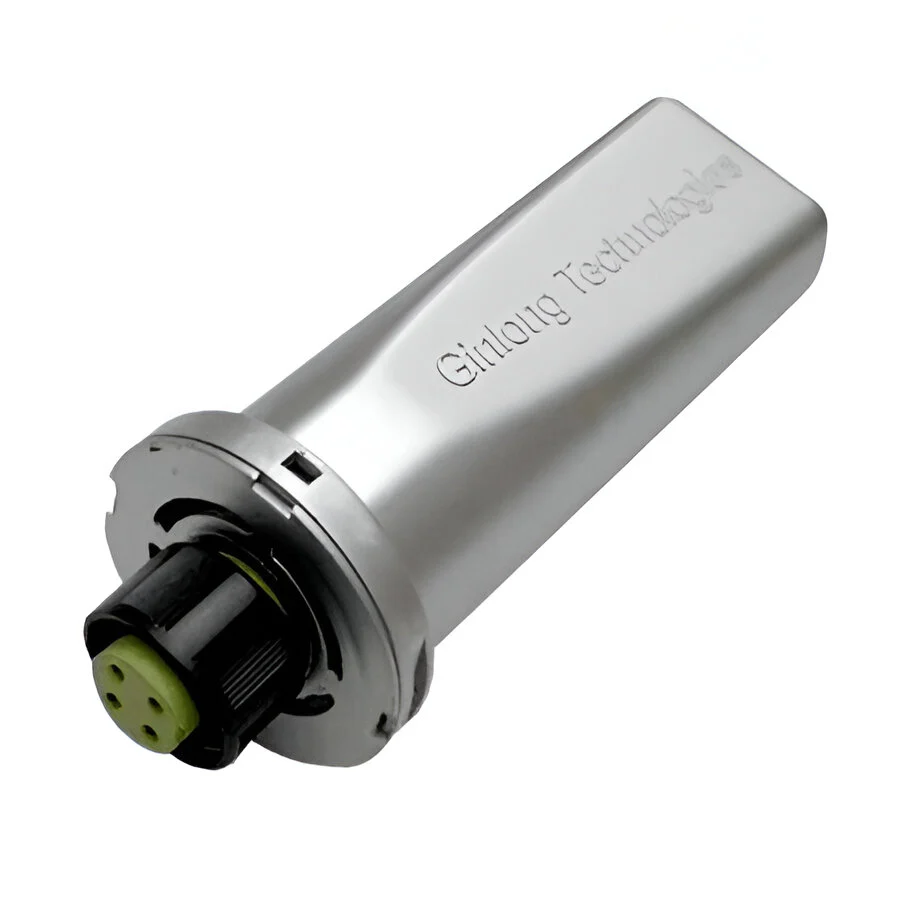
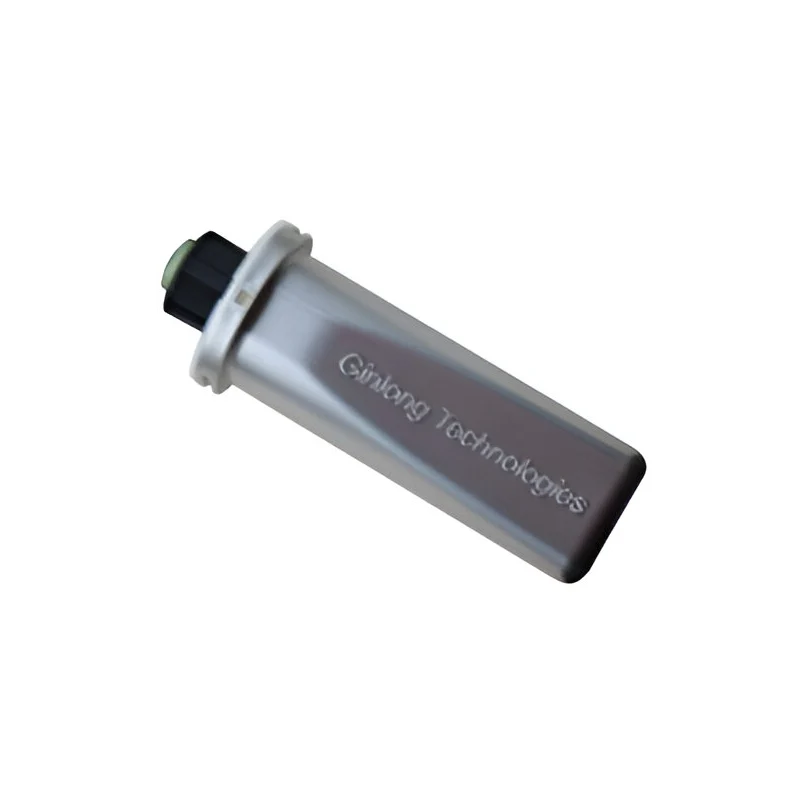
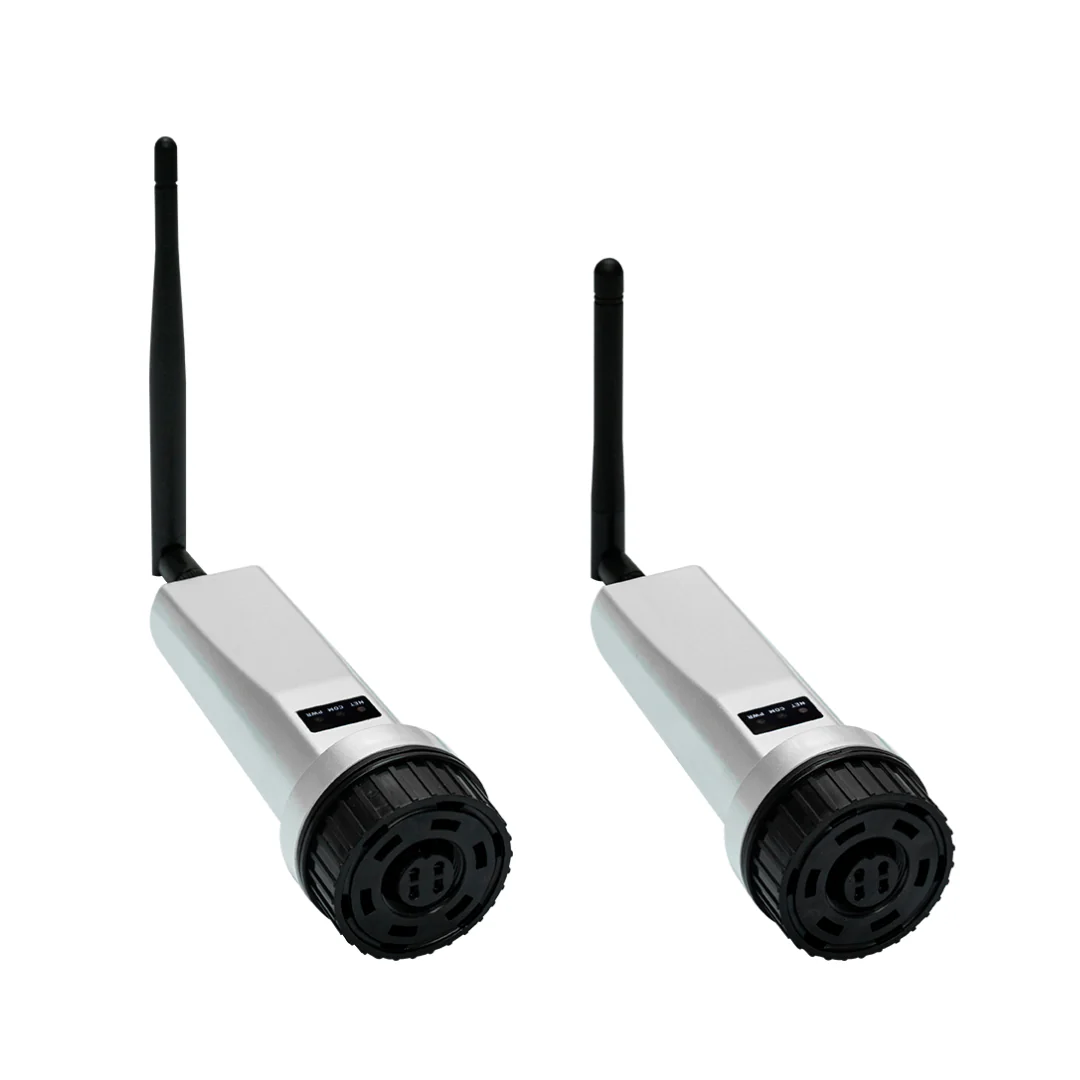
The Viridian WiFi Module for Clearline Inverter is the optional communication module that enables remote monitoring and control of any Clearline CSI inverter via the WE Mate app (iOS and Android) and the Solar Portal web browser platform. Once plugged into the inverter's communication port, the module connects the inverter to your home WiFi router, giving you live generation data, historical yield graphs, fault alerts, firmware updates and — when combined with the VIR-CSI-CT CT clamp — the ability to set an export power limit as required by many DNOs. Two variants are available: VIR-CSI-WIFI (standard) and VIR-CSI-WIFI-S, which includes additional communication features for certain installation configurations.
ℹ️ The WiFi module is required for all remote monitoring and export limiting. Without it, the Clearline Inverter can only be read via its on-device LCD screen. If your DNO connection approval specifies an export limit, you will need both the VIR-CSI-WIFI module and the VIR-CSI-CT CT clamp.
Variant Selection
| MPN | Variant | Key Difference | Typical Use |
|---|---|---|---|
| VIR-CSI-WIFI | Standard WiFi Module | WiFi 2.4 GHz · Bluetooth · WE Mate app · Solar Portal | Standard installation — connects inverter to home router for remote monitoring and optional export limiting via CT clamp |
| VIR-CSI-WIFI-S | WiFi Module -S | As standard plus additional LAN/RS485 communication capability for advanced configurations | Installations requiring LAN wired connection, RS485 communications, or integration with third-party monitoring systems |
⚠️ Check your inverter model before ordering. The WiFi module plugs into the COM port on the Clearline Inverter. Confirm compatibility with your specific inverter model and firmware version with Viridian's technical team if unsure (01480 839 865).
Key Features
- ✓Plug-in installation — slides into the dedicated communication module port on the Clearline Inverter; no separate enclosure or wiring required
- ✓2.4 GHz WiFi connectivity — connects to your home router (2.4 GHz band or 2.4/5 GHz coexistence mode); router SSID must be 40 characters or fewer
- ✓Bluetooth commissioning — the inverter includes built-in Bluetooth; the WiFi module enables cloud connectivity on top of the existing local Bluetooth access
- ✓WE Mate app (iOS & Android) — real-time generation power, daily/monthly/annual yield totals, fault history and alerts, parameter adjustment, firmware upgrade, AFCI management
- ✓Solar Portal web monitoring — browser-based dashboard for desktop access to generation data, system overview and historical reports
- ✓Enables export power limiting — when used with the VIR-CSI-CT CT clamp, allows the installer to set a maximum grid export limit in the WE Mate app (Advanced Settings → Power Limit)
- ✓Remote firmware upgrade — inverter firmware can be updated remotely via the WE Mate app once the WiFi module is connected; no site visit required for updates
- ✓Night mode operation — when inverter is idle at night, the WiFi module allows the inverter to receive remote upgrades and monitoring data from the grid side
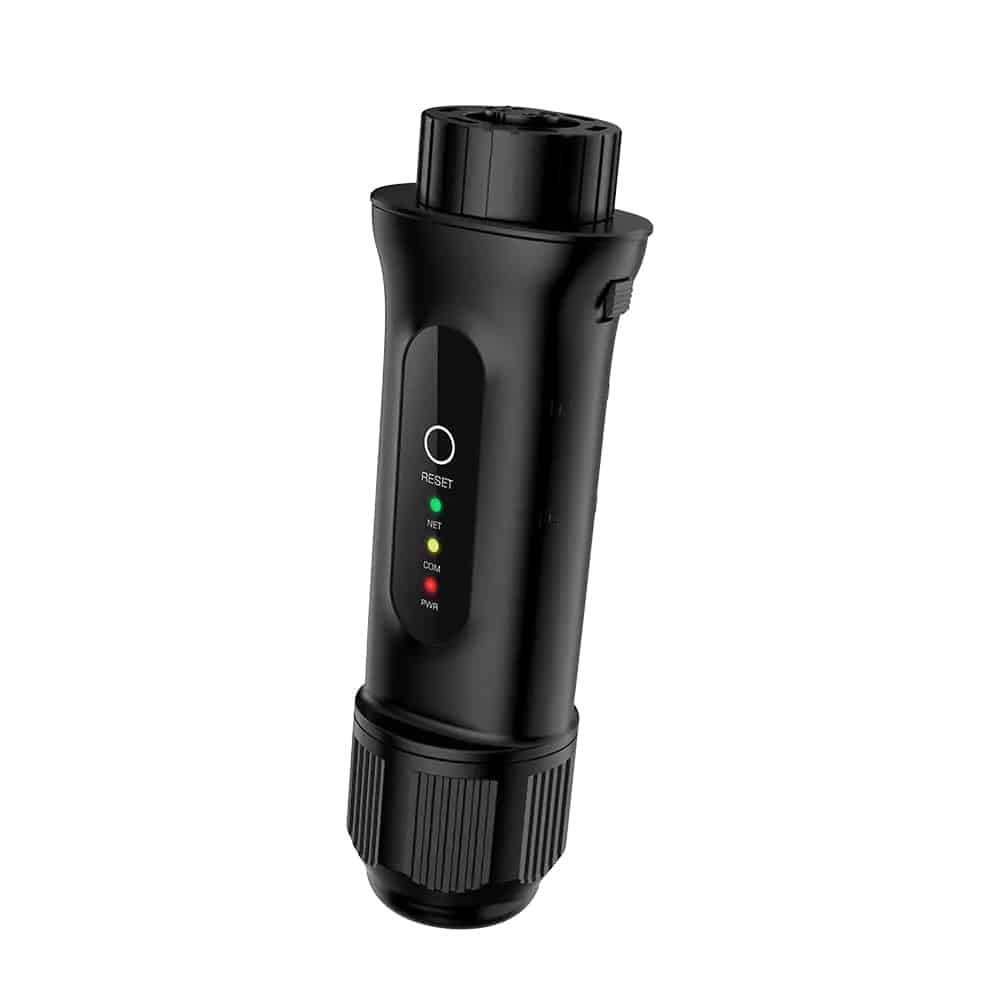
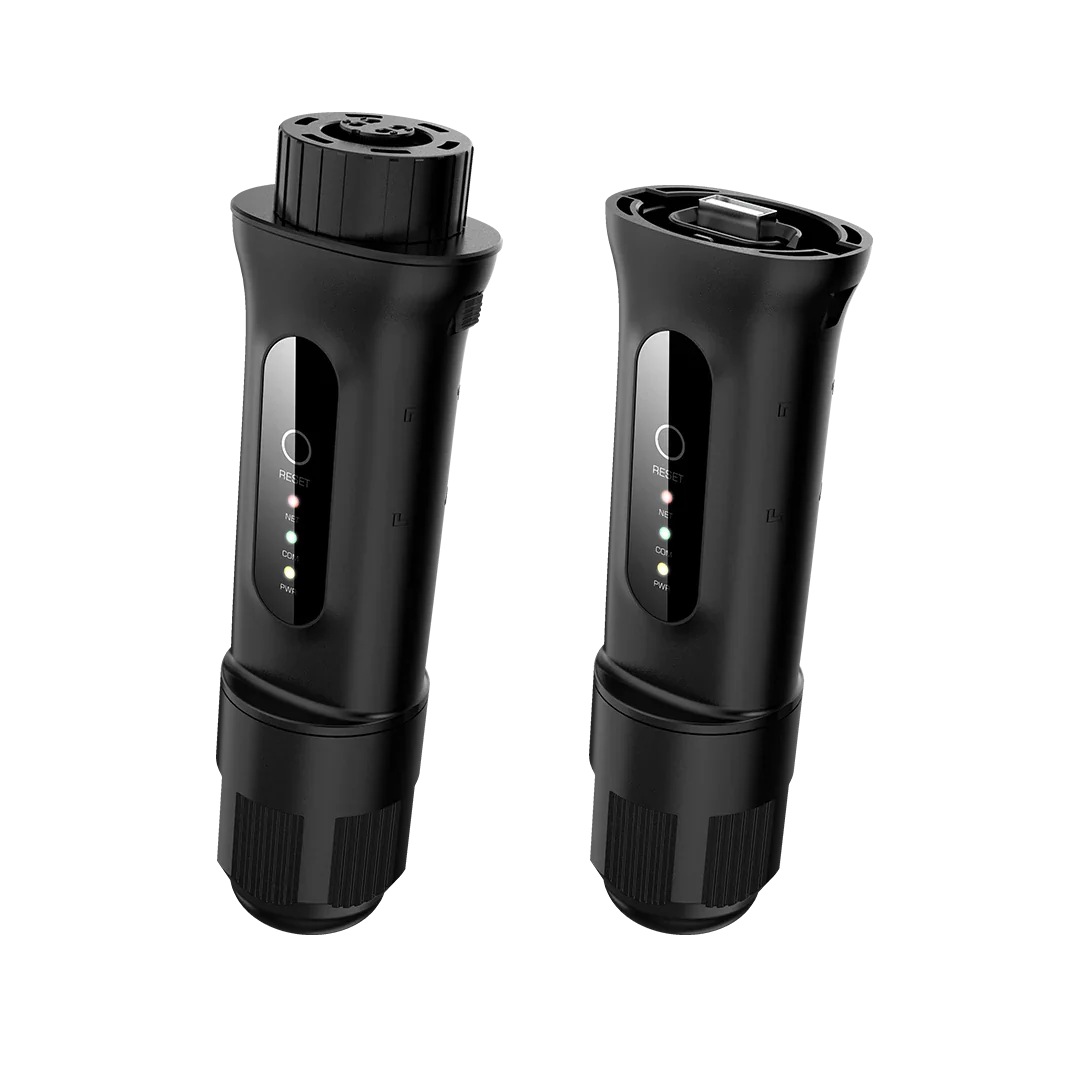
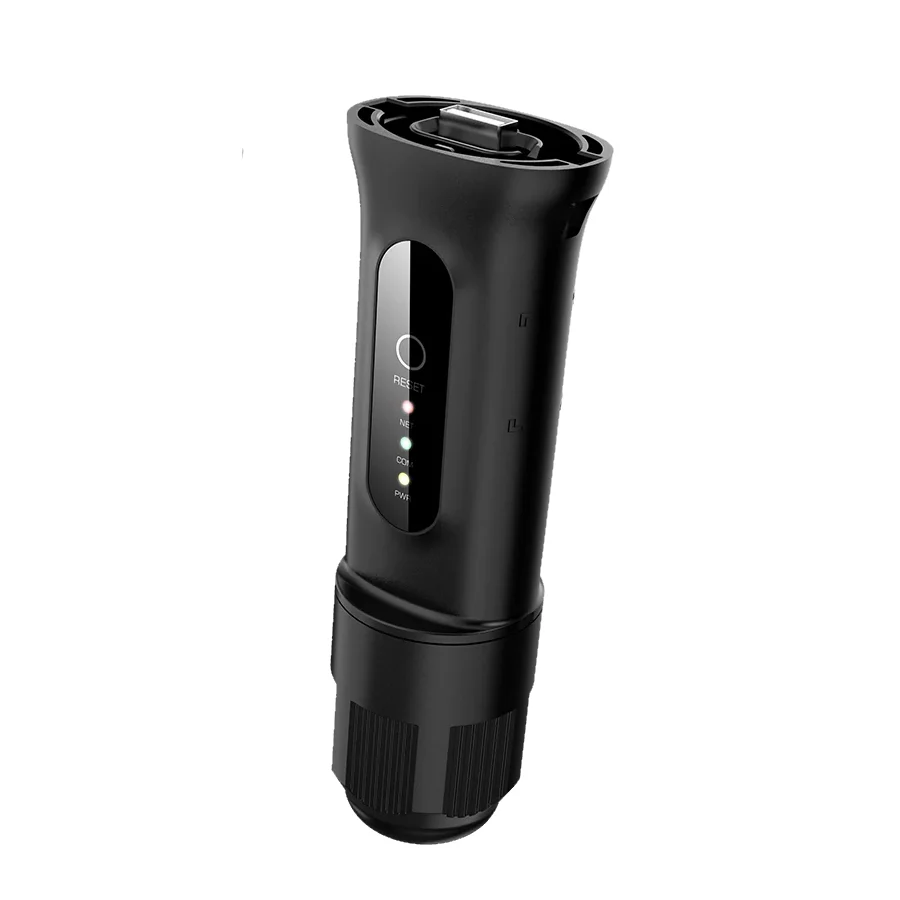
- ✓LED status indicators — three status LEDs on the module for Power (on/off), Operating (feeding power), and WiFi connectivity (solid = connected; blink patterns indicate connection state)
Technical Specifications
| Specification | Value |
|---|---|
| Compatible Inverters | All Viridian Clearline CSI range (CSI1000S–CSI6000D) |
| WiFi Standard | 2.4 GHz (IEEE 802.11 b/g/n); router must support 2.4 GHz or 2.4/5 GHz coexistence mode |
| Installation | Plug-in to inverter COM module port — no tools required |
| App | WE Mate (free download, iOS App Store and Google Play) |
| Web Portal | Solar Portal (browser-based, no software installation) |
| Export Limiting | Requires additional VIR-CSI-CT CT clamp — configured via WE Mate app |
| Firmware Updates | Over-the-air via WE Mate app or via USB flash drive on the inverter |
| Communications (WIFI-S) | WiFi 2.4 GHz + LAN (RJ45) + RS485 — for wired network or third-party monitoring integration |
| Certifications | CE (RED) — Radio Equipment Directive 2014/53/EU |
| Manufacturer | Viridian Solar Ltd, Papworth, Cambridge |
Frequently Asked Questions
QIs the WiFi module included with the inverter?
No. The Clearline Inverter is supplied without a communication module as standard. The WiFi module (VIR-CSI-WIFI or VIR-CSI-WIFI-S) must be purchased separately and plugged into the inverter's COM port during or after installation.
QWhat is the difference between VIR-CSI-WIFI and VIR-CSI-WIFI-S?
Both modules provide WiFi monitoring via the WE Mate app and Solar Portal. The VIR-CSI-WIFI-S additionally supports wired LAN (RJ45) and RS485 communication, which is useful where WiFi coverage is unreliable or where the inverter needs to communicate with a third-party monitoring or building management system via a wired connection.
QCan I use the module to limit my export to the grid?
Yes, but you also need the VIR-CSI-CT CT clamp (VIR-CSI-CT). The CT clamp is installed on the main grid supply cable and measures the real-time grid import/export. The WiFi module transmits this data to the inverter, which then throttles its output to stay within the configured export limit. Both items are required — the WiFi module alone is not sufficient for export limiting.
QMy router is 5 GHz only — will the WiFi module work?
The module uses 2.4 GHz only. If your router broadcasts only 5 GHz, the module will not connect. Most modern routers support dual-band (2.4 GHz + 5 GHz) or have a coexistence mode — check your router settings to ensure 2.4 GHz is enabled. If your router SSID is longer than 40 characters, it must be shortened before the module can connect.
QCan I update inverter firmware remotely?
Yes. Once the WiFi module is connected and the inverter is registered on the Solar Portal, firmware updates can be pushed remotely via the WE Mate app. This avoids the need to return to site for routine firmware maintenance.
Viridian WiFi Module for Clearline Inverter | WE Mate App Remote Monitoring | Solar Portal | Export Limiting Add-On
Remote Monitoring WE Mate App Solar Portal 2.4 GHz WiFi Export Limiting Ready Clearline Inverter Add-On Viridian Solar
The Viridian WiFi Module for Clearline Inverter is the optional communication module that enables remote monitoring and control of any Clearline CSI inverter via the WE Mate app (iOS and Android) and the Solar Portal web browser platform. Once plugged into the inverter's communication port, the module connects the inverter to your home WiFi router, giving you live generation data, historical yield graphs, fault alerts, firmware updates and — when combined with the VIR-CSI-CT CT clamp — the ability to set an export power limit as required by many DNOs. Two variants are available: VIR-CSI-WIFI (standard) and VIR-CSI-WIFI-S, which includes additional communication features for certain installation configurations.
ℹ️ The WiFi module is required for all remote monitoring and export limiting. Without it, the Clearline Inverter can only be read via its on-device LCD screen. If your DNO connection approval specifies an export limit, you will need both the VIR-CSI-WIFI module and the VIR-CSI-CT CT clamp.
Variant Selection
| MPN | Variant | Key Difference | Typical Use |
|---|---|---|---|
| VIR-CSI-WIFI | Standard WiFi Module | WiFi 2.4 GHz · Bluetooth · WE Mate app · Solar Portal | Standard installation — connects inverter to home router for remote monitoring and optional export limiting via CT clamp |
| VIR-CSI-WIFI-S | WiFi Module -S | As standard plus additional LAN/RS485 communication capability for advanced configurations | Installations requiring LAN wired connection, RS485 communications, or integration with third-party monitoring systems |
⚠️ Check your inverter model before ordering. The WiFi module plugs into the COM port on the Clearline Inverter. Confirm compatibility with your specific inverter model and firmware version with Viridian's technical team if unsure (01480 839 865).
Key Features
- ✓Plug-in installation — slides into the dedicated communication module port on the Clearline Inverter; no separate enclosure or wiring required
- ✓2.4 GHz WiFi connectivity — connects to your home router (2.4 GHz band or 2.4/5 GHz coexistence mode); router SSID must be 40 characters or fewer
- ✓Bluetooth commissioning — the inverter includes built-in Bluetooth; the WiFi module enables cloud connectivity on top of the existing local Bluetooth access
- ✓WE Mate app (iOS & Android) — real-time generation power, daily/monthly/annual yield totals, fault history and alerts, parameter adjustment, firmware upgrade, AFCI management
- ✓Solar Portal web monitoring — browser-based dashboard for desktop access to generation data, system overview and historical reports
- ✓Enables export power limiting — when used with the VIR-CSI-CT CT clamp, allows the installer to set a maximum grid export limit in the WE Mate app (Advanced Settings → Power Limit)
- ✓Remote firmware upgrade — inverter firmware can be updated remotely via the WE Mate app once the WiFi module is connected; no site visit required for updates
- ✓Night mode operation — when inverter is idle at night, the WiFi module allows the inverter to receive remote upgrades and monitoring data from the grid side
- ✓LED status indicators — three status LEDs on the module for Power (on/off), Operating (feeding power), and WiFi connectivity (solid = connected; blink patterns indicate connection state)
Technical Specifications
| Specification | Value |
|---|---|
| Compatible Inverters | All Viridian Clearline CSI range (CSI1000S–CSI6000D) |
| WiFi Standard | 2.4 GHz (IEEE 802.11 b/g/n); router must support 2.4 GHz or 2.4/5 GHz coexistence mode |
| Installation | Plug-in to inverter COM module port — no tools required |
| App | WE Mate (free download, iOS App Store and Google Play) |
| Web Portal | Solar Portal (browser-based, no software installation) |
| Export Limiting | Requires additional VIR-CSI-CT CT clamp — configured via WE Mate app |
| Firmware Updates | Over-the-air via WE Mate app or via USB flash drive on the inverter |
| Communications (WIFI-S) | WiFi 2.4 GHz + LAN (RJ45) + RS485 — for wired network or third-party monitoring integration |
| Certifications | CE (RED) — Radio Equipment Directive 2014/53/EU |
| Manufacturer | Viridian Solar Ltd, Papworth, Cambridge |
Frequently Asked Questions
QIs the WiFi module included with the inverter?
No. The Clearline Inverter is supplied without a communication module as standard. The WiFi module (VIR-CSI-WIFI or VIR-CSI-WIFI-S) must be purchased separately and plugged into the inverter's COM port during or after installation.
QWhat is the difference between VIR-CSI-WIFI and VIR-CSI-WIFI-S?
Both modules provide WiFi monitoring via the WE Mate app and Solar Portal. The VIR-CSI-WIFI-S additionally supports wired LAN (RJ45) and RS485 communication, which is useful where WiFi coverage is unreliable or where the inverter needs to communicate with a third-party monitoring or building management system via a wired connection.
QCan I use the module to limit my export to the grid?
Yes, but you also need the VIR-CSI-CT CT clamp (VIR-CSI-CT). The CT clamp is installed on the main grid supply cable and measures the real-time grid import/export. The WiFi module transmits this data to the inverter, which then throttles its output to stay within the configured export limit. Both items are required — the WiFi module alone is not sufficient for export limiting.
QMy router is 5 GHz only — will the WiFi module work?
The module uses 2.4 GHz only. If your router broadcasts only 5 GHz, the module will not connect. Most modern routers support dual-band (2.4 GHz + 5 GHz) or have a coexistence mode — check your router settings to ensure 2.4 GHz is enabled. If your router SSID is longer than 40 characters, it must be shortened before the module can connect.
QCan I update inverter firmware remotely?
Yes. Once the WiFi module is connected and the inverter is registered on the Solar Portal, firmware updates can be pushed remotely via the WE Mate app. This avoids the need to return to site for routine firmware maintenance.
Product Information
Product Information
Shipping & Returns
Shipping & Returns
Description
Remote Monitoring WE Mate App Solar Portal 2.4 GHz WiFi Export Limiting Ready Clearline Inverter Add-On Viridian Solar
The Viridian WiFi Module for Clearline Inverter is the optional communication module that enables remote monitoring and control of any Clearline CSI inverter via the WE Mate app (iOS and Android) and the Solar Portal web browser platform. Once plugged into the inverter's communication port, the module connects the inverter to your home WiFi router, giving you live generation data, historical yield graphs, fault alerts, firmware updates and — when combined with the VIR-CSI-CT CT clamp — the ability to set an export power limit as required by many DNOs. Two variants are available: VIR-CSI-WIFI (standard) and VIR-CSI-WIFI-S, which includes additional communication features for certain installation configurations.
ℹ️ The WiFi module is required for all remote monitoring and export limiting. Without it, the Clearline Inverter can only be read via its on-device LCD screen. If your DNO connection approval specifies an export limit, you will need both the VIR-CSI-WIFI module and the VIR-CSI-CT CT clamp.
Variant Selection
| MPN | Variant | Key Difference | Typical Use |
|---|---|---|---|
| VIR-CSI-WIFI | Standard WiFi Module | WiFi 2.4 GHz · Bluetooth · WE Mate app · Solar Portal | Standard installation — connects inverter to home router for remote monitoring and optional export limiting via CT clamp |
| VIR-CSI-WIFI-S | WiFi Module -S | As standard plus additional LAN/RS485 communication capability for advanced configurations | Installations requiring LAN wired connection, RS485 communications, or integration with third-party monitoring systems |
⚠️ Check your inverter model before ordering. The WiFi module plugs into the COM port on the Clearline Inverter. Confirm compatibility with your specific inverter model and firmware version with Viridian's technical team if unsure (01480 839 865).
Key Features
- ✓Plug-in installation — slides into the dedicated communication module port on the Clearline Inverter; no separate enclosure or wiring required
- ✓2.4 GHz WiFi connectivity — connects to your home router (2.4 GHz band or 2.4/5 GHz coexistence mode); router SSID must be 40 characters or fewer
- ✓Bluetooth commissioning — the inverter includes built-in Bluetooth; the WiFi module enables cloud connectivity on top of the existing local Bluetooth access
- ✓WE Mate app (iOS & Android) — real-time generation power, daily/monthly/annual yield totals, fault history and alerts, parameter adjustment, firmware upgrade, AFCI management
- ✓Solar Portal web monitoring — browser-based dashboard for desktop access to generation data, system overview and historical reports
- ✓Enables export power limiting — when used with the VIR-CSI-CT CT clamp, allows the installer to set a maximum grid export limit in the WE Mate app (Advanced Settings → Power Limit)
- ✓Remote firmware upgrade — inverter firmware can be updated remotely via the WE Mate app once the WiFi module is connected; no site visit required for updates
- ✓Night mode operation — when inverter is idle at night, the WiFi module allows the inverter to receive remote upgrades and monitoring data from the grid side
- ✓LED status indicators — three status LEDs on the module for Power (on/off), Operating (feeding power), and WiFi connectivity (solid = connected; blink patterns indicate connection state)
Technical Specifications
| Specification | Value |
|---|---|
| Compatible Inverters | All Viridian Clearline CSI range (CSI1000S–CSI6000D) |
| WiFi Standard | 2.4 GHz (IEEE 802.11 b/g/n); router must support 2.4 GHz or 2.4/5 GHz coexistence mode |
| Installation | Plug-in to inverter COM module port — no tools required |
| App | WE Mate (free download, iOS App Store and Google Play) |
| Web Portal | Solar Portal (browser-based, no software installation) |
| Export Limiting | Requires additional VIR-CSI-CT CT clamp — configured via WE Mate app |
| Firmware Updates | Over-the-air via WE Mate app or via USB flash drive on the inverter |
| Communications (WIFI-S) | WiFi 2.4 GHz + LAN (RJ45) + RS485 — for wired network or third-party monitoring integration |
| Certifications | CE (RED) — Radio Equipment Directive 2014/53/EU |
| Manufacturer | Viridian Solar Ltd, Papworth, Cambridge |
Frequently Asked Questions
QIs the WiFi module included with the inverter?
No. The Clearline Inverter is supplied without a communication module as standard. The WiFi module (VIR-CSI-WIFI or VIR-CSI-WIFI-S) must be purchased separately and plugged into the inverter's COM port during or after installation.
QWhat is the difference between VIR-CSI-WIFI and VIR-CSI-WIFI-S?
Both modules provide WiFi monitoring via the WE Mate app and Solar Portal. The VIR-CSI-WIFI-S additionally supports wired LAN (RJ45) and RS485 communication, which is useful where WiFi coverage is unreliable or where the inverter needs to communicate with a third-party monitoring or building management system via a wired connection.
QCan I use the module to limit my export to the grid?
Yes, but you also need the VIR-CSI-CT CT clamp (VIR-CSI-CT). The CT clamp is installed on the main grid supply cable and measures the real-time grid import/export. The WiFi module transmits this data to the inverter, which then throttles its output to stay within the configured export limit. Both items are required — the WiFi module alone is not sufficient for export limiting.
QMy router is 5 GHz only — will the WiFi module work?
The module uses 2.4 GHz only. If your router broadcasts only 5 GHz, the module will not connect. Most modern routers support dual-band (2.4 GHz + 5 GHz) or have a coexistence mode — check your router settings to ensure 2.4 GHz is enabled. If your router SSID is longer than 40 characters, it must be shortened before the module can connect.
QCan I update inverter firmware remotely?
Yes. Once the WiFi module is connected and the inverter is registered on the Solar Portal, firmware updates can be pushed remotely via the WE Mate app. This avoids the need to return to site for routine firmware maintenance.