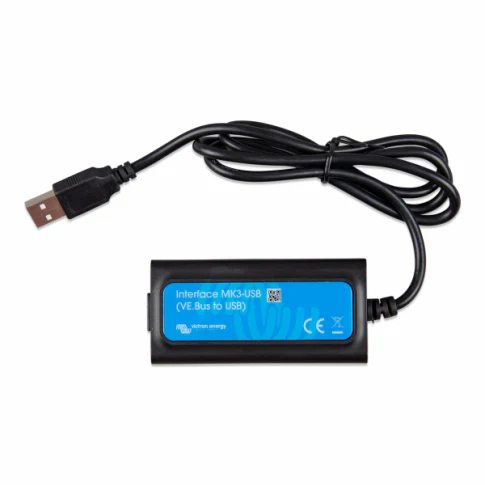
Victron VE.Bus to USB MK3 Interface Cable with Reliable Connectivity & VictronConnect App Monitoring
Victron VE.Bus to USB MK3 Interface Cable with Reliable Connectivity & VictronConnect App Monitoring
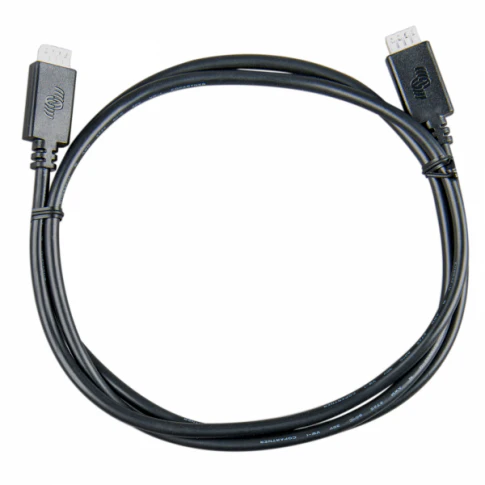
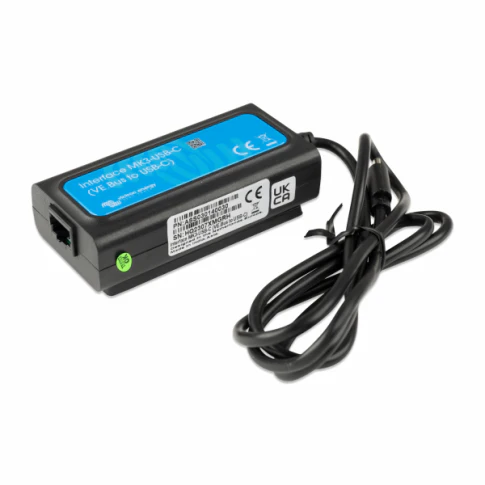
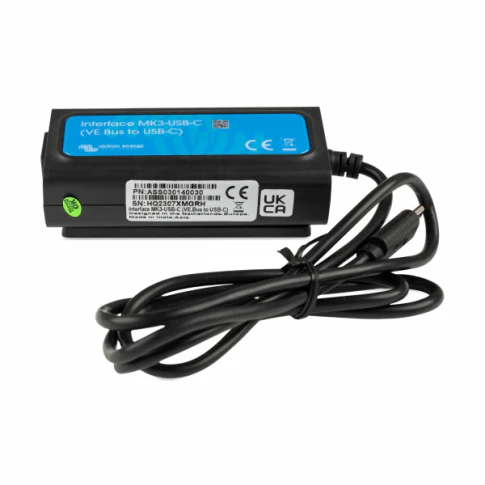
Victron VE.Bus to USB MK3 Interface Cable — Reliable VE.Bus to USB connection cable with official MK3 interface | Enables full configuration, monitoring & control of Victron inverters, MultiPlus, Quattro & other VE.Bus devices | Free VictronConnect app (Bluetooth & USB) for real-time status, settings & firmware updates | Plug-and-play USB-A to RJ45 design | Essential for advanced setup, diagnostics & custom programming | Works with all VE.Bus products | 5-year Victron warranty | Ideal for off-grid, marine, RV & home energy systems
Connects directly to VE.Bus port on MultiPlus, Quattro, Inverter/Chargers, EasySolar & VE.Bus BMS. Use with VictronConnect app for live monitoring (battery SOC, voltage, current, power, alarms), configuration (assistants, input current limits, charging profiles) & firmware updates. No additional drivers needed – plug into USB port on PC/Mac.
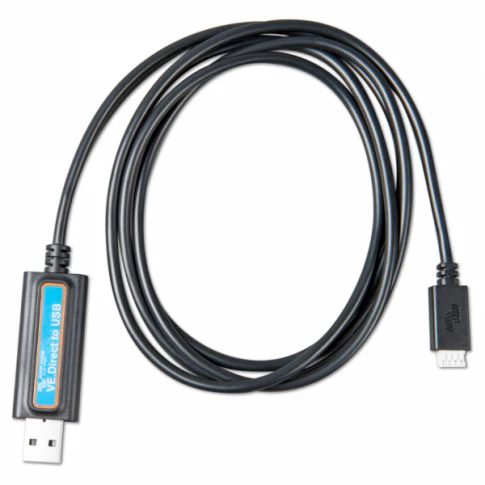
The Victron VE.Bus to USB MK3 Interface Cable (ASS030537011) is the official, high-quality connection solution for configuring and monitoring Victron VE.Bus devices. The built-in MK3 interface ensures stable, reliable communication between your computer/USB port and VE.Bus products such as MultiPlus, Quattro, Inverter/Chargers, EasySolar, VE.Bus BMS & other compatible units.
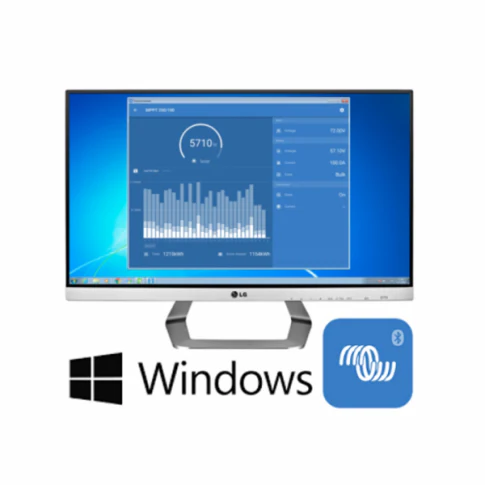
Using the free VictronConnect app (available on Windows, macOS, Android & iOS), you get real-time visibility of system status – battery state-of-charge, voltage, current, power, temperature, alarms & more. Easily adjust settings like input current limits, charging profiles, PowerAssist, virtual switch functions & advanced assistants. Perform firmware updates directly via USB for the latest features & bug fixes. The RJ45 to USB-A cable design is plug-and-play – no drivers or extra software required beyond VictronConnect. Essential for installers, off-grid users, marine/RV owners & anyone needing detailed control & diagnostics of Victron VE.Bus systems.
What Makes the Victron MK3 Interface Special?
- Official MK3 Interface — Genuine Victron design – ensures stable, error-free communication with all VE.Bus devices.
- VictronConnect App Integration — Free app for real-time monitoring, configuration & firmware updates via USB (or Bluetooth with VE.Direct devices).
- Real-Time System Monitoring — View live battery SOC, voltage, current, power, temperature, alarms & logs – perfect for diagnostics.
- Advanced Configuration — Adjust input limits, charging profiles, PowerAssist, assistants & virtual switch functions – customise your system.
- Plug-and-Play USB — RJ45 to USB-A – no drivers needed, works on PC/Mac & VictronConnect app (Windows/macOS/Android/iOS).
- Essential for VE.Bus Devices — Required for full setup & programming of MultiPlus, Quattro, EasySolar & VE.Bus BMS.
- 5-Year Victron Warranty — Long-term reliability from a trusted global brand.
Key Features
Technical Specifications
| Specification | Value |
|---|---|
| MPN / SKU | ASS030537011 |
| Interface Type | VE.Bus to USB (MK3 protocol) |
| Connector A | RJ45 (VE.Bus port) |
| Connector B | USB-A (computer side) |
| Cable Length | 1.8 m (standard) |
| Compatibility | All Victron VE.Bus devices (MultiPlus, Quattro, Inverter/Chargers, EasySolar, VE.Bus BMS) |
| Software | VictronConnect app (free – Windows, macOS, Android, iOS) |
| Power Supply | Powered via USB (no external supply needed) |
| Operating Temperature | -20 °C to +50 °C |
| Warranty | 5 years (Victron standard) |
What's in the Box
✅ Required for full configuration, monitoring & firmware updates of VE.Bus devices. Works seamlessly with VictronConnect app (free download). No drivers needed – plug into USB port on PC/Mac. For remote monitoring via internet, pair with Victron Cerbo GX or VRM Portal (sold separately). 5-year Victron warranty – register online for full support.
Frequently Asked Questions
Original: $103.92
-65%$103.92
$36.37More Images
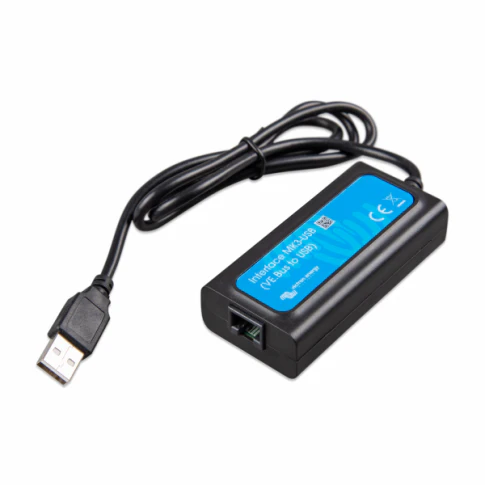
Victron VE.Bus to USB MK3 Interface Cable with Reliable Connectivity & VictronConnect App Monitoring
Victron VE.Bus to USB MK3 Interface Cable — Reliable VE.Bus to USB connection cable with official MK3 interface | Enables full configuration, monitoring & control of Victron inverters, MultiPlus, Quattro & other VE.Bus devices | Free VictronConnect app (Bluetooth & USB) for real-time status, settings & firmware updates | Plug-and-play USB-A to RJ45 design | Essential for advanced setup, diagnostics & custom programming | Works with all VE.Bus products | 5-year Victron warranty | Ideal for off-grid, marine, RV & home energy systems
Connects directly to VE.Bus port on MultiPlus, Quattro, Inverter/Chargers, EasySolar & VE.Bus BMS. Use with VictronConnect app for live monitoring (battery SOC, voltage, current, power, alarms), configuration (assistants, input current limits, charging profiles) & firmware updates. No additional drivers needed – plug into USB port on PC/Mac.
The Victron VE.Bus to USB MK3 Interface Cable (ASS030537011) is the official, high-quality connection solution for configuring and monitoring Victron VE.Bus devices. The built-in MK3 interface ensures stable, reliable communication between your computer/USB port and VE.Bus products such as MultiPlus, Quattro, Inverter/Chargers, EasySolar, VE.Bus BMS & other compatible units.
Using the free VictronConnect app (available on Windows, macOS, Android & iOS), you get real-time visibility of system status – battery state-of-charge, voltage, current, power, temperature, alarms & more. Easily adjust settings like input current limits, charging profiles, PowerAssist, virtual switch functions & advanced assistants. Perform firmware updates directly via USB for the latest features & bug fixes. The RJ45 to USB-A cable design is plug-and-play – no drivers or extra software required beyond VictronConnect. Essential for installers, off-grid users, marine/RV owners & anyone needing detailed control & diagnostics of Victron VE.Bus systems.
What Makes the Victron MK3 Interface Special?
- Official MK3 Interface — Genuine Victron design – ensures stable, error-free communication with all VE.Bus devices.
- VictronConnect App Integration — Free app for real-time monitoring, configuration & firmware updates via USB (or Bluetooth with VE.Direct devices).
- Real-Time System Monitoring — View live battery SOC, voltage, current, power, temperature, alarms & logs – perfect for diagnostics.
- Advanced Configuration — Adjust input limits, charging profiles, PowerAssist, assistants & virtual switch functions – customise your system.
- Plug-and-Play USB — RJ45 to USB-A – no drivers needed, works on PC/Mac & VictronConnect app (Windows/macOS/Android/iOS).
- Essential for VE.Bus Devices — Required for full setup & programming of MultiPlus, Quattro, EasySolar & VE.Bus BMS.
- 5-Year Victron Warranty — Long-term reliability from a trusted global brand.
Key Features
Technical Specifications
| Specification | Value |
|---|---|
| MPN / SKU | ASS030537011 |
| Interface Type | VE.Bus to USB (MK3 protocol) |
| Connector A | RJ45 (VE.Bus port) |
| Connector B | USB-A (computer side) |
| Cable Length | 1.8 m (standard) |
| Compatibility | All Victron VE.Bus devices (MultiPlus, Quattro, Inverter/Chargers, EasySolar, VE.Bus BMS) |
| Software | VictronConnect app (free – Windows, macOS, Android, iOS) |
| Power Supply | Powered via USB (no external supply needed) |
| Operating Temperature | -20 °C to +50 °C |
| Warranty | 5 years (Victron standard) |
What's in the Box
✅ Required for full configuration, monitoring & firmware updates of VE.Bus devices. Works seamlessly with VictronConnect app (free download). No drivers needed – plug into USB port on PC/Mac. For remote monitoring via internet, pair with Victron Cerbo GX or VRM Portal (sold separately). 5-year Victron warranty – register online for full support.
Frequently Asked Questions
Product Information
Product Information
Shipping & Returns
Shipping & Returns
Description
Victron VE.Bus to USB MK3 Interface Cable — Reliable VE.Bus to USB connection cable with official MK3 interface | Enables full configuration, monitoring & control of Victron inverters, MultiPlus, Quattro & other VE.Bus devices | Free VictronConnect app (Bluetooth & USB) for real-time status, settings & firmware updates | Plug-and-play USB-A to RJ45 design | Essential for advanced setup, diagnostics & custom programming | Works with all VE.Bus products | 5-year Victron warranty | Ideal for off-grid, marine, RV & home energy systems
Connects directly to VE.Bus port on MultiPlus, Quattro, Inverter/Chargers, EasySolar & VE.Bus BMS. Use with VictronConnect app for live monitoring (battery SOC, voltage, current, power, alarms), configuration (assistants, input current limits, charging profiles) & firmware updates. No additional drivers needed – plug into USB port on PC/Mac.
The Victron VE.Bus to USB MK3 Interface Cable (ASS030537011) is the official, high-quality connection solution for configuring and monitoring Victron VE.Bus devices. The built-in MK3 interface ensures stable, reliable communication between your computer/USB port and VE.Bus products such as MultiPlus, Quattro, Inverter/Chargers, EasySolar, VE.Bus BMS & other compatible units.
Using the free VictronConnect app (available on Windows, macOS, Android & iOS), you get real-time visibility of system status – battery state-of-charge, voltage, current, power, temperature, alarms & more. Easily adjust settings like input current limits, charging profiles, PowerAssist, virtual switch functions & advanced assistants. Perform firmware updates directly via USB for the latest features & bug fixes. The RJ45 to USB-A cable design is plug-and-play – no drivers or extra software required beyond VictronConnect. Essential for installers, off-grid users, marine/RV owners & anyone needing detailed control & diagnostics of Victron VE.Bus systems.
What Makes the Victron MK3 Interface Special?
- Official MK3 Interface — Genuine Victron design – ensures stable, error-free communication with all VE.Bus devices.
- VictronConnect App Integration — Free app for real-time monitoring, configuration & firmware updates via USB (or Bluetooth with VE.Direct devices).
- Real-Time System Monitoring — View live battery SOC, voltage, current, power, temperature, alarms & logs – perfect for diagnostics.
- Advanced Configuration — Adjust input limits, charging profiles, PowerAssist, assistants & virtual switch functions – customise your system.
- Plug-and-Play USB — RJ45 to USB-A – no drivers needed, works on PC/Mac & VictronConnect app (Windows/macOS/Android/iOS).
- Essential for VE.Bus Devices — Required for full setup & programming of MultiPlus, Quattro, EasySolar & VE.Bus BMS.
- 5-Year Victron Warranty — Long-term reliability from a trusted global brand.
Key Features
Technical Specifications
| Specification | Value |
|---|---|
| MPN / SKU | ASS030537011 |
| Interface Type | VE.Bus to USB (MK3 protocol) |
| Connector A | RJ45 (VE.Bus port) |
| Connector B | USB-A (computer side) |
| Cable Length | 1.8 m (standard) |
| Compatibility | All Victron VE.Bus devices (MultiPlus, Quattro, Inverter/Chargers, EasySolar, VE.Bus BMS) |
| Software | VictronConnect app (free – Windows, macOS, Android, iOS) |
| Power Supply | Powered via USB (no external supply needed) |
| Operating Temperature | -20 °C to +50 °C |
| Warranty | 5 years (Victron standard) |
What's in the Box
✅ Required for full configuration, monitoring & firmware updates of VE.Bus devices. Works seamlessly with VictronConnect app (free download). No drivers needed – plug into USB port on PC/Mac. For remote monitoring via internet, pair with Victron Cerbo GX or VRM Portal (sold separately). 5-year Victron warranty – register online for full support.