✨ New Arrivals Just Dropped!Explore
SolarEdge Home Network Plug-in and Antenna for SetApp Inverters
HomeStore

SolarEdge Home Network Plug-in and Antenna for SetApp Inverters

SolarEdge Home Network Plug-in and Antenna for SetApp Inverters

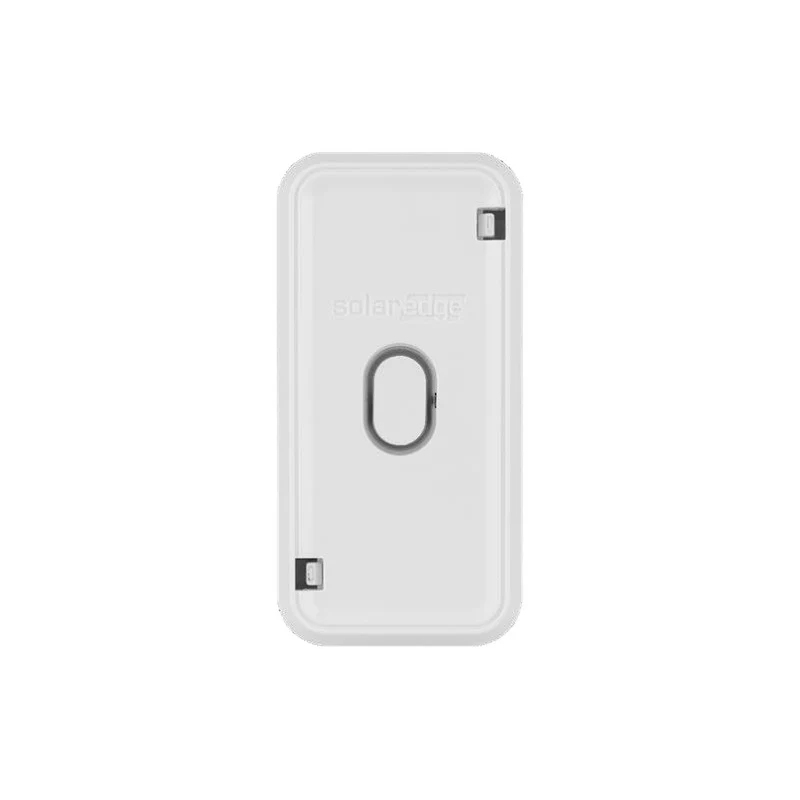
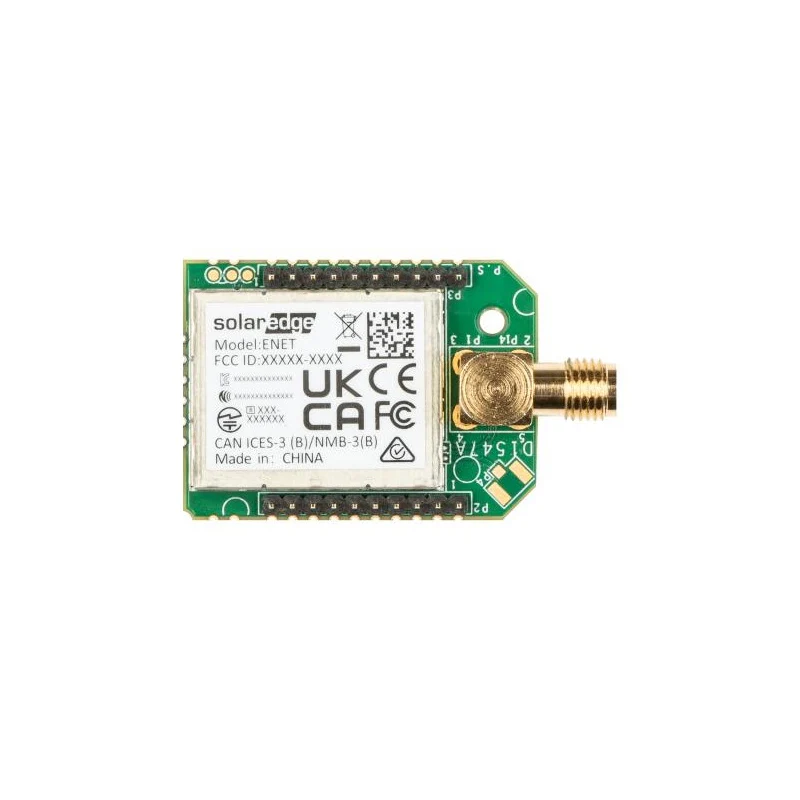
The SolarEdge ENET-HBCL-01 is the Home Network Plug-in and Antenna kit for SolarEdge SetApp-enabled inverters that do not have a dedicated Home Network hardware socket. It plugs into the inverter's cellular/GSM communication slot and adds wireless SolarEdge Home Network (ENET) capability — enabling the inverter to communicate with Home Network devices including Home Batteries, Inline Energy Meters, the Home Load Controller, and the Smart Home device range. Setup is via SetApp with automatic device detection. The kit includes the plug-in module and an outdoor-rated RP-SMA antenna (200 mm).

863–870
MHz (EU band)
50 m
Indoor range
Mesh
Network topology
Plug-in
SetApp configured
5 years
Warranty
⚠ Installer Note — Switch off AC supply and wait 5 minutes before opening the inverter communication board cover. Insert the plug-in into the correct socket and tie the antenna cable to the communication board bracket with the supplied plastic tie before closing the cover.
⚡ Compatibility — Check before ordering — The ENET-HBCL-01 is for SetApp-enabled inverters with part numbers ending in BNxx (e.g. SExxxxH-RW0xxBNxx) that do not have a dedicated ENET socket. For inverters with a dedicated Home Network socket (part numbers ending in BExx), use ENET-HBNP-01 instead. Cannot be installed alongside a Zigbee or cellular module — it uses the same socket.
Technical Specifications
Part Number ENET-HBCL-01
Communication Protocol SolarEdge Home Network
Operating Frequency (EU) 863–870 MHz
Modulation O-QPSK
EIRP with Antenna (EU) 14 dBm
Transmission Power (max) 17 dBm
Receiver Sensitivity –100 dBm
Indoor Range (no line of sight) 50 m
Network Topology Wireless mesh (no single point of failure)
Plug-in Dimensions 33 × 76 mm
DC Supply Voltage 3.3 Vdc (from inverter communication board)
Antenna Type Outdoor, RP-SMA, vertical polarisation
Antenna Dimensions (L × Dia.) 200 × 20 mm
Operating Temperature –40°C to +85°C
Warranty 5 years
Frequently Asked Questions
How do I know if my inverter needs ENET-HBCL-01 or ENET-HBNP-01?
Check the inverter's full part number on its label. If it ends in BNxx (e.g. SE3680H-RW000BNN4), the communication board does not have a dedicated Home Network socket — use ENET-HBCL-01, which occupies the cellular slot. If it ends in BExx (e.g. SE3680H-RW000BEN4), it has a dedicated socket — use ENET-HBNP-01 instead. Refer to the SolarEdge Home Network Plug-in Kit Selection technical note for the complete compatibility table.
Can I use this alongside a cellular or Zigbee module?
No — the ENET-HBCL-01 occupies the cellular slot on the communication board. It cannot be installed at the same time as a GSM/cellular module or a Zigbee plug-in. If the cellular slot is already in use, you will need to use ENET-xBP-XXX instead, which includes a replacement communication board.
What devices does Home Network enable?
Once installed, the inverter can wirelessly communicate with all SolarEdge Home Network devices: Home Battery, Inline Energy Meters, Home Load Controller, and SolarEdge smart home accessories. Configuration of connected devices is handled automatically via SetApp on initial commissioning — no manual address assignment is required.
$21.26

Original: $60.74

-65%
SolarEdge Home Network Plug-in and Antenna for SetApp Inverters

$60.74

$21.26

SolarEdge Home Network Plug-in and Antenna for SetApp Inverters

The SolarEdge ENET-HBCL-01 is the Home Network Plug-in and Antenna kit for SolarEdge SetApp-enabled inverters that do not have a dedicated Home Network hardware socket. It plugs into the inverter's cellular/GSM communication slot and adds wireless SolarEdge Home Network (ENET) capability — enabling the inverter to communicate with Home Network devices including Home Batteries, Inline Energy Meters, the Home Load Controller, and the Smart Home device range. Setup is via SetApp with automatic device detection. The kit includes the plug-in module and an outdoor-rated RP-SMA antenna (200 mm).

863–870
MHz (EU band)
50 m
Indoor range
Mesh
Network topology
Plug-in
SetApp configured
5 years
Warranty
⚠ Installer Note — Switch off AC supply and wait 5 minutes before opening the inverter communication board cover. Insert the plug-in into the correct socket and tie the antenna cable to the communication board bracket with the supplied plastic tie before closing the cover.
⚡ Compatibility — Check before ordering — The ENET-HBCL-01 is for SetApp-enabled inverters with part numbers ending in BNxx (e.g. SExxxxH-RW0xxBNxx) that do not have a dedicated ENET socket. For inverters with a dedicated Home Network socket (part numbers ending in BExx), use ENET-HBNP-01 instead. Cannot be installed alongside a Zigbee or cellular module — it uses the same socket.
Technical Specifications
Part Number ENET-HBCL-01
Communication Protocol SolarEdge Home Network
Operating Frequency (EU) 863–870 MHz
Modulation O-QPSK
EIRP with Antenna (EU) 14 dBm
Transmission Power (max) 17 dBm
Receiver Sensitivity –100 dBm
Indoor Range (no line of sight) 50 m
Network Topology Wireless mesh (no single point of failure)
Plug-in Dimensions 33 × 76 mm
DC Supply Voltage 3.3 Vdc (from inverter communication board)
Antenna Type Outdoor, RP-SMA, vertical polarisation
Antenna Dimensions (L × Dia.) 200 × 20 mm
Operating Temperature –40°C to +85°C
Warranty 5 years
Frequently Asked Questions
How do I know if my inverter needs ENET-HBCL-01 or ENET-HBNP-01?
Check the inverter's full part number on its label. If it ends in BNxx (e.g. SE3680H-RW000BNN4), the communication board does not have a dedicated Home Network socket — use ENET-HBCL-01, which occupies the cellular slot. If it ends in BExx (e.g. SE3680H-RW000BEN4), it has a dedicated socket — use ENET-HBNP-01 instead. Refer to the SolarEdge Home Network Plug-in Kit Selection technical note for the complete compatibility table.
Can I use this alongside a cellular or Zigbee module?
No — the ENET-HBCL-01 occupies the cellular slot on the communication board. It cannot be installed at the same time as a GSM/cellular module or a Zigbee plug-in. If the cellular slot is already in use, you will need to use ENET-xBP-XXX instead, which includes a replacement communication board.
What devices does Home Network enable?
Once installed, the inverter can wirelessly communicate with all SolarEdge Home Network devices: Home Battery, Inline Energy Meters, Home Load Controller, and SolarEdge smart home accessories. Configuration of connected devices is handled automatically via SetApp on initial commissioning — no manual address assignment is required.

Product Information

Shipping & Returns

Description

The SolarEdge ENET-HBCL-01 is the Home Network Plug-in and Antenna kit for SolarEdge SetApp-enabled inverters that do not have a dedicated Home Network hardware socket. It plugs into the inverter's cellular/GSM communication slot and adds wireless SolarEdge Home Network (ENET) capability — enabling the inverter to communicate with Home Network devices including Home Batteries, Inline Energy Meters, the Home Load Controller, and the Smart Home device range. Setup is via SetApp with automatic device detection. The kit includes the plug-in module and an outdoor-rated RP-SMA antenna (200 mm).

863–870
MHz (EU band)
50 m
Indoor range
Mesh
Network topology
Plug-in
SetApp configured
5 years
Warranty
⚠ Installer Note — Switch off AC supply and wait 5 minutes before opening the inverter communication board cover. Insert the plug-in into the correct socket and tie the antenna cable to the communication board bracket with the supplied plastic tie before closing the cover.
⚡ Compatibility — Check before ordering — The ENET-HBCL-01 is for SetApp-enabled inverters with part numbers ending in BNxx (e.g. SExxxxH-RW0xxBNxx) that do not have a dedicated ENET socket. For inverters with a dedicated Home Network socket (part numbers ending in BExx), use ENET-HBNP-01 instead. Cannot be installed alongside a Zigbee or cellular module — it uses the same socket.
Technical Specifications
Part Number ENET-HBCL-01
Communication Protocol SolarEdge Home Network
Operating Frequency (EU) 863–870 MHz
Modulation O-QPSK
EIRP with Antenna (EU) 14 dBm
Transmission Power (max) 17 dBm
Receiver Sensitivity –100 dBm
Indoor Range (no line of sight) 50 m
Network Topology Wireless mesh (no single point of failure)
Plug-in Dimensions 33 × 76 mm
DC Supply Voltage 3.3 Vdc (from inverter communication board)
Antenna Type Outdoor, RP-SMA, vertical polarisation
Antenna Dimensions (L × Dia.) 200 × 20 mm
Operating Temperature –40°C to +85°C
Warranty 5 years
Frequently Asked Questions
How do I know if my inverter needs ENET-HBCL-01 or ENET-HBNP-01?
Check the inverter's full part number on its label. If it ends in BNxx (e.g. SE3680H-RW000BNN4), the communication board does not have a dedicated Home Network socket — use ENET-HBCL-01, which occupies the cellular slot. If it ends in BExx (e.g. SE3680H-RW000BEN4), it has a dedicated socket — use ENET-HBNP-01 instead. Refer to the SolarEdge Home Network Plug-in Kit Selection technical note for the complete compatibility table.
Can I use this alongside a cellular or Zigbee module?
No — the ENET-HBCL-01 occupies the cellular slot on the communication board. It cannot be installed at the same time as a GSM/cellular module or a Zigbee plug-in. If the cellular slot is already in use, you will need to use ENET-xBP-XXX instead, which includes a replacement communication board.
What devices does Home Network enable?
Once installed, the inverter can wirelessly communicate with all SolarEdge Home Network devices: Home Battery, Inline Energy Meters, Home Load Controller, and SolarEdge smart home accessories. Configuration of connected devices is handled automatically via SetApp on initial commissioning — no manual address assignment is required.