Samsung S‑Net Pro Dongle
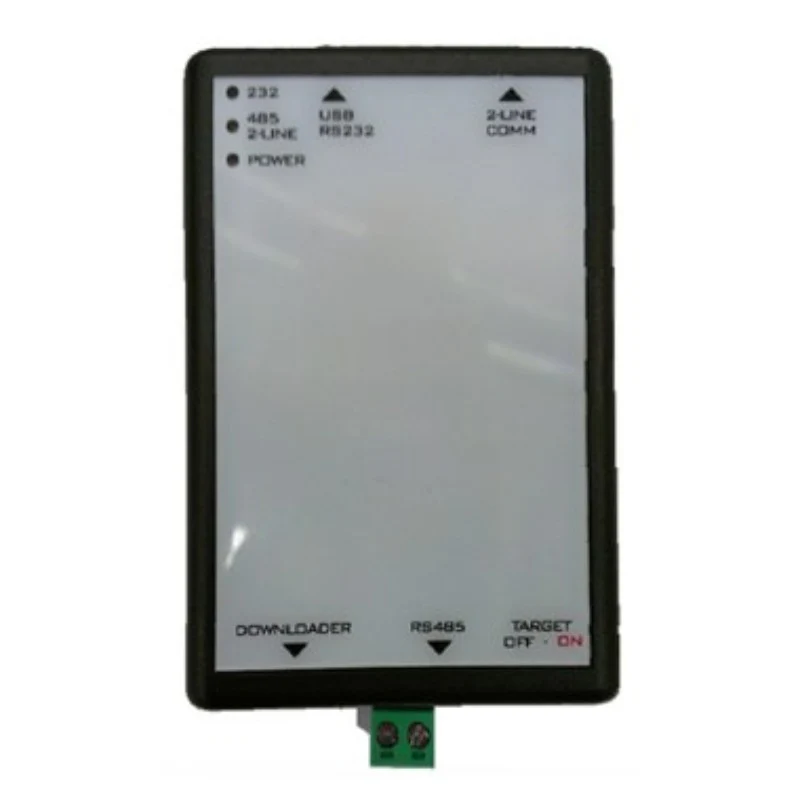
The Samsung S‑Net Pro Dongle (MIM‑CO2N) is a USB communication converter module that connects compatible Samsung HVAC and heat pump systems to a Windows PC running Samsung S‑Net Pro service software for commissioning, diagnostics and advanced monitoring.
Product Overview
- Model: MIM‑CO2N S‑Net Pro Dongle / S‑Converter module.
- Function: Acts as a gateway between the Samsung system’s communication bus and a PC, allowing engineers to use S‑Net Pro or S‑Net Pro 2 software for setup and service.
- Typical use: Professional tool for installers and service engineers to commission, troubleshoot and optimise Samsung HVAC and heat pump systems.
Key Features
- PC connectivity: USB interface to a Windows laptop or PC, providing a virtual COM port for S‑Net Pro software.
- System bus connection: Wired to the Samsung communication terminals (e.g. F1/F2 or R1/R2 depending on system type) to access all connected indoor and outdoor units.
- Service‑grade diagnostics: Enables detailed live monitoring, parameter reading/writing, error history review and firmware‑related checks via S‑Net Pro.
- Status indicators: LED status lights show USB link, communication activity and bus status to aid quick connection checks.
Typical Applications
- Commissioning: Used during initial setup to verify configuration, addresses, sensor readings and operating conditions of Samsung systems.
- Fault‑finding: Provides deeper visibility into system data and error logs than local controllers alone, helping diagnose complex issues.
- Performance checks: Allows engineers to view detailed live data (temperatures, pressures, operating states) to fine‑tune performance or verify operation after changes.
Connection & Use
- Wiring: Connect the dongle to the system’s communication bus terminals, then connect the USB cable from the dongle to the laptop or PC.
- Software setup: Install the required USB–serial driver and Samsung S‑Net Pro / S‑Net Pro 2 software, select the correct COM port and communication line in the application, then connect to the system.
- User profile: Intended for trained HVAC professionals; not generally required for everyday end‑user operation, but highly useful for advanced service work.
More Images
Samsung S‑Net Pro Dongle
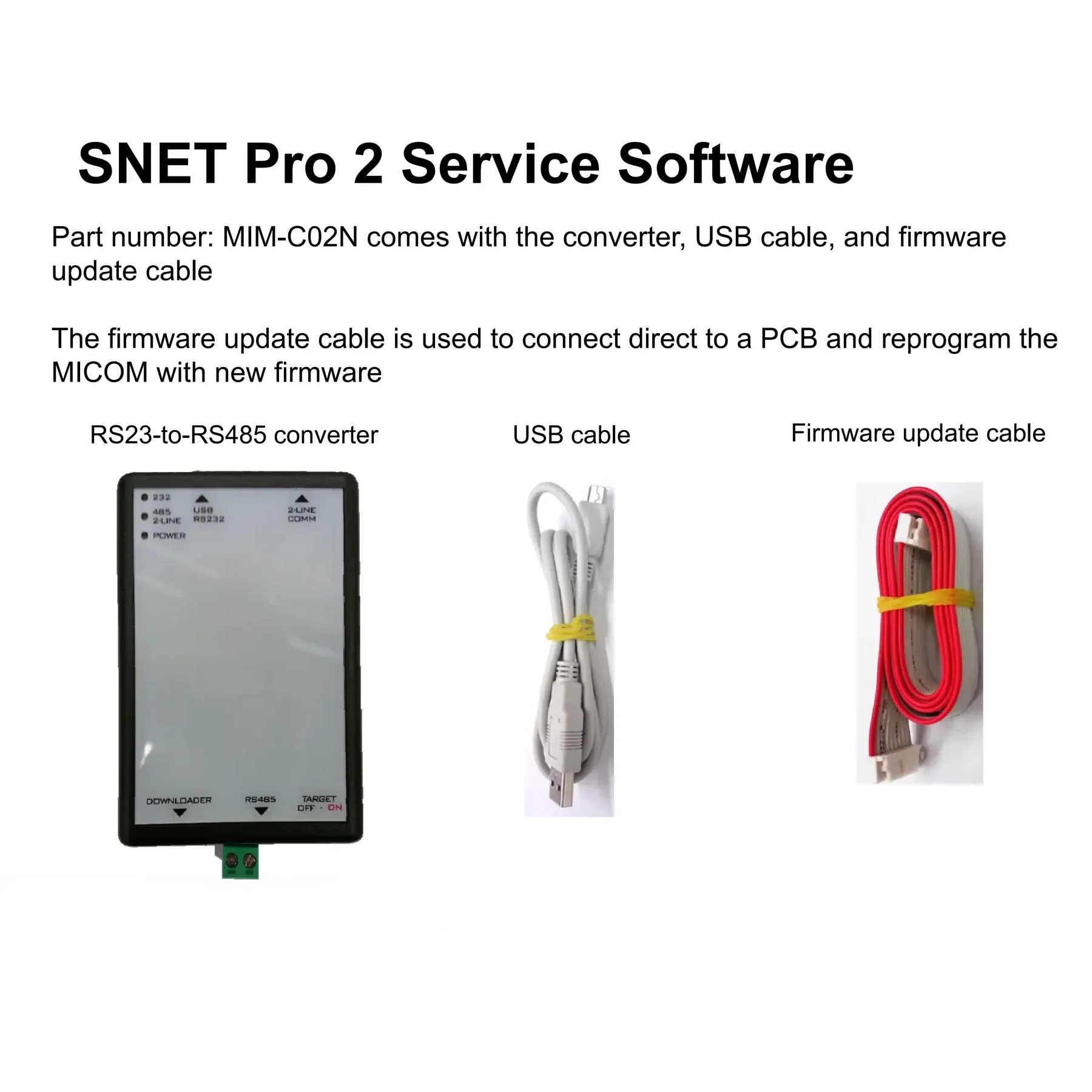
The Samsung S‑Net Pro Dongle (MIM‑CO2N) is a USB communication converter module that connects compatible Samsung HVAC and heat pump systems to a Windows PC running Samsung S‑Net Pro service software for commissioning, diagnostics and advanced monitoring.
Product Overview
- Model: MIM‑CO2N S‑Net Pro Dongle / S‑Converter module.
- Function: Acts as a gateway between the Samsung system’s communication bus and a PC, allowing engineers to use S‑Net Pro or S‑Net Pro 2 software for setup and service.
- Typical use: Professional tool for installers and service engineers to commission, troubleshoot and optimise Samsung HVAC and heat pump systems.
Key Features
- PC connectivity: USB interface to a Windows laptop or PC, providing a virtual COM port for S‑Net Pro software.
- System bus connection: Wired to the Samsung communication terminals (e.g. F1/F2 or R1/R2 depending on system type) to access all connected indoor and outdoor units.
- Service‑grade diagnostics: Enables detailed live monitoring, parameter reading/writing, error history review and firmware‑related checks via S‑Net Pro.
- Status indicators: LED status lights show USB link, communication activity and bus status to aid quick connection checks.
Typical Applications
- Commissioning: Used during initial setup to verify configuration, addresses, sensor readings and operating conditions of Samsung systems.
- Fault‑finding: Provides deeper visibility into system data and error logs than local controllers alone, helping diagnose complex issues.
- Performance checks: Allows engineers to view detailed live data (temperatures, pressures, operating states) to fine‑tune performance or verify operation after changes.
Connection & Use
- Wiring: Connect the dongle to the system’s communication bus terminals, then connect the USB cable from the dongle to the laptop or PC.
- Software setup: Install the required USB–serial driver and Samsung S‑Net Pro / S‑Net Pro 2 software, select the correct COM port and communication line in the application, then connect to the system.
- User profile: Intended for trained HVAC professionals; not generally required for everyday end‑user operation, but highly useful for advanced service work.
Product Information
Product Information
Shipping & Returns
Shipping & Returns
Description
The Samsung S‑Net Pro Dongle (MIM‑CO2N) is a USB communication converter module that connects compatible Samsung HVAC and heat pump systems to a Windows PC running Samsung S‑Net Pro service software for commissioning, diagnostics and advanced monitoring.
Product Overview
- Model: MIM‑CO2N S‑Net Pro Dongle / S‑Converter module.
- Function: Acts as a gateway between the Samsung system’s communication bus and a PC, allowing engineers to use S‑Net Pro or S‑Net Pro 2 software for setup and service.
- Typical use: Professional tool for installers and service engineers to commission, troubleshoot and optimise Samsung HVAC and heat pump systems.
Key Features
- PC connectivity: USB interface to a Windows laptop or PC, providing a virtual COM port for S‑Net Pro software.
- System bus connection: Wired to the Samsung communication terminals (e.g. F1/F2 or R1/R2 depending on system type) to access all connected indoor and outdoor units.
- Service‑grade diagnostics: Enables detailed live monitoring, parameter reading/writing, error history review and firmware‑related checks via S‑Net Pro.
- Status indicators: LED status lights show USB link, communication activity and bus status to aid quick connection checks.
Typical Applications
- Commissioning: Used during initial setup to verify configuration, addresses, sensor readings and operating conditions of Samsung systems.
- Fault‑finding: Provides deeper visibility into system data and error logs than local controllers alone, helping diagnose complex issues.
- Performance checks: Allows engineers to view detailed live data (temperatures, pressures, operating states) to fine‑tune performance or verify operation after changes.
Connection & Use
- Wiring: Connect the dongle to the system’s communication bus terminals, then connect the USB cable from the dongle to the laptop or PC.
- Software setup: Install the required USB–serial driver and Samsung S‑Net Pro / S‑Net Pro 2 software, select the correct COM port and communication line in the application, then connect to the system.
- User profile: Intended for trained HVAC professionals; not generally required for everyday end‑user operation, but highly useful for advanced service work.